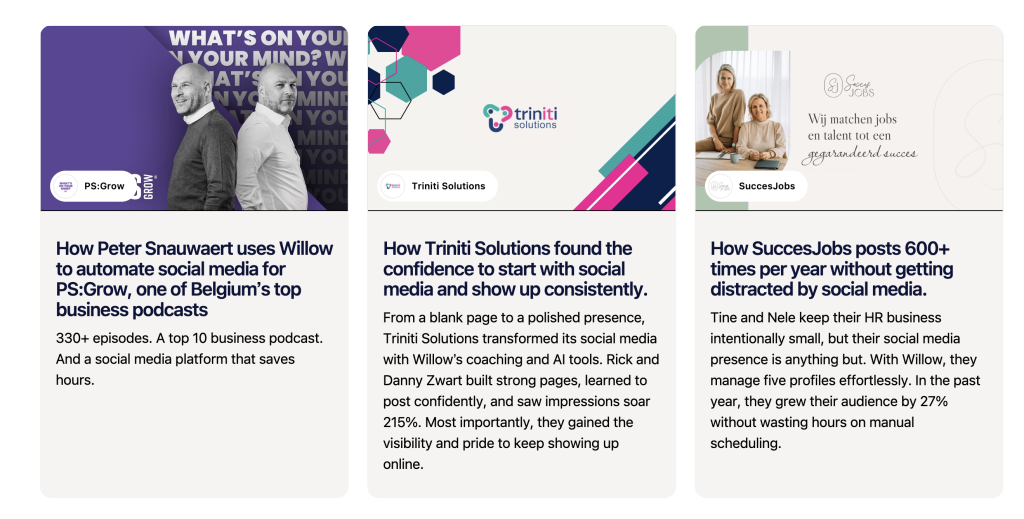
Since April 2025, I’ve published a new case study every single week.
That’s nearly 20 unique customer stories that our sales team can use daily to book demos and close deals. It’s authentic content that doesn’t scream “AI-written”. It’s the best sort of social proof, perfectly addressing our target audience’s doubts and pain points.
The best part? The process is simple and repeatable. It costs me no more than 2 hours per week.
Here’s how it works.
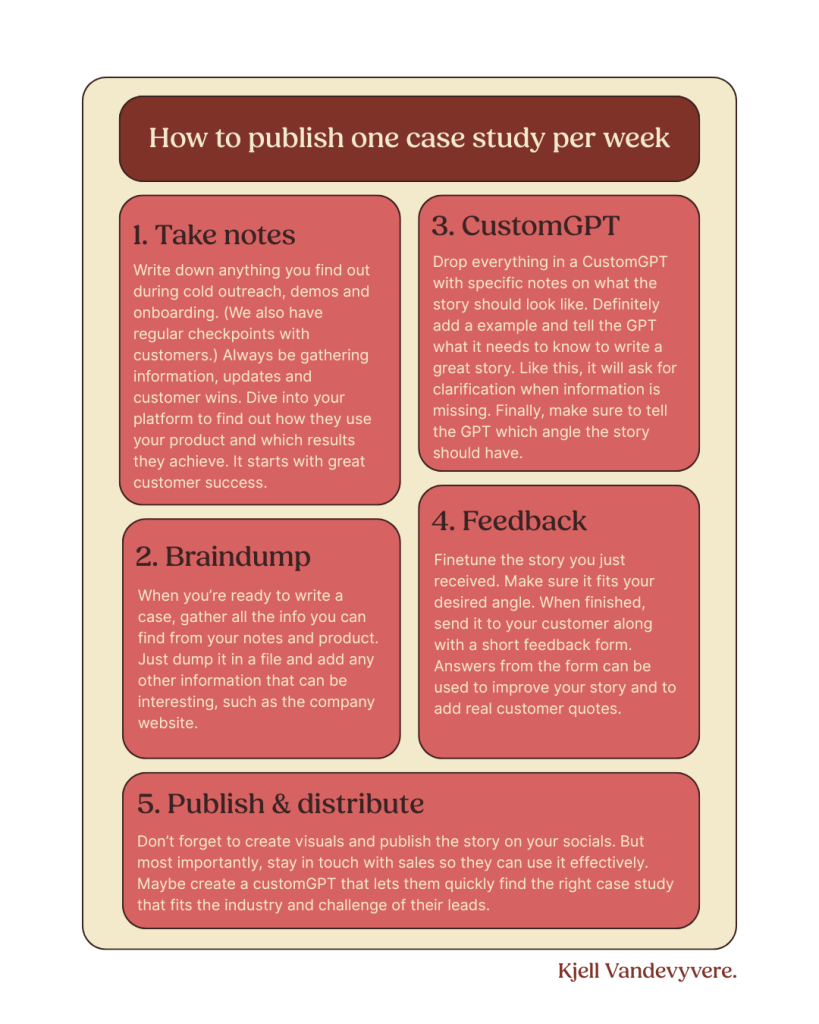
The five-step playbook for weekly case studies
Here’s the TL;DR
1. Take notes
Capture insights during demos, onboarding, and customer check-ins. Monitor your platform usage and collect proof of success.
2. Braindump
Compile everything—notes, analytics, screenshots, links—into one file. Don’t organise it yet. Just get it all in.
3. CustomGPT
Feed the braindump into your Case Study GPT. Include an example and clear direction. Let GPT clarify and shape the story.
4. Feedback
Polish the draft. Send it to the customer with a short form. Use their words as quotes.
5. Publish & distribute
Add visuals and publish. Then push it via LinkedIn, email and more.
Why this works every single week
This system removes bottlenecks:
- I don’t wait for customers to approve everything
- I don’t start with a blank page
- I don’t rely on memory or hearsay
Instead, I rely on process, product data, and a steady flow to keep things moving.
Detailed breakdown of my weekly case study process
Step 1: Take notes obsessively
Every story starts with customer research.
I dig into every place where we might have useful insights:
- HubSpot CRM and Chargebee for timeline, plan, demo notes and more.
- Internal tools like Willow to analyse how they post and how their content performs.
- Notion or HubSpot for customer success notes.
- Donna, Fathom.ai, Fireflies.ai—whatever call notes tool we were using that month
- June (RIP) for users statistics.
There are three key questions I always want answered:
- How long has this customer been with us?
- What challenge brought them to us in the first place?
- What has changed thanks to our tools or coaching?
I look for details. If I see a follower spike or a killer campaign, I grab a screenshot. I want proof of impact.
Every case study is only as good as the raw material. By digging into the materials, you always find .unique angles. You can’t fake a strong customer story.
Step 2: Dump everything into a single file
Once I’ve done the digging, I create a chaotic but complete “braindump.”
This includes:
- Notes from the CRM
- Key milestones or dates
- Screenshots of metrics
- A link to their company website
- Anything they’ve told us in past emails or calls
This file doesn’t need to be structured. It just needs to be complete.
Step 3: Drop it into my CustomGPT “Case Study Buddy”
Now comes the fun part.
I copy-paste my messy notes into a CustomGPT trained on great success story examples. I give it some instructions about the type of customer this is and the angle I think the story should take.
Then I let it ask me questions, so my “buddy” has a clear understanding of the customer’s story.
“Before giving me the outline for the new case study, I want you to ask me as many questions as needed to draft the perfect case study. You must know who the main users are, for example.
Ask me if i have any input from sales, ask me to check stats etc.”
This step turns chaos into clarity. The GPT helps me identify the story arc and refine the angle. Sometimes I realise there’s missing info, so I go back and look again.
Step 4: Polish and add personal touches
Once GPT gives me a full draft, I put my editor hat on.
By now, the work is at least 80% done. I just check the flow, fix awkward phrasing, and add some tone-of-voice tweaks. Mostly I’m deleting a few superfluous sentences, but I rarely need to add more.
Then I send it to the customer.
I use a simple Tally form to ask a few simple questions:
- Feedback on the product and our coaching
- Happy with the story and the information included?
- Anything else they’d like to add.
The feedback rarely changes much. But the quotes are gold. I can now include these as real customer quotes. The words make the story feel real, and they’re great to share on the website and on social media.
Step 5: Publish and distribute
After final tweaks, I publish the story to our Webflow site. The hardest part in this process is creating visuals. Not all our customers have a clear brand identity so it takes some creativity to come up with a unique thumbnail and social media visual.
I usually create a carousel and schedule it on our LinkedIn company page. But reach is rahter low for those, so I’m experimenting with a video for the next one.
90% of the time, though, I don’t have the première for the story. Ludwig (our CEO) beats me to it by letting Will—our AI social media manager—post it to his profile.
Here’s a visual recap: